
The T.A.C.T. Framework
The Architecture of an AI Agent

Most people think “AI” is just a chatbot window. They type a question, get an answer, and stop there. But AI Agents are different. Agents do work.
To move from “Chatting” to “Building,” you need a mental model. You need to understand the anatomy of an automated workflow.
At Befinity AI, we use the T.A.C.T. Framework.
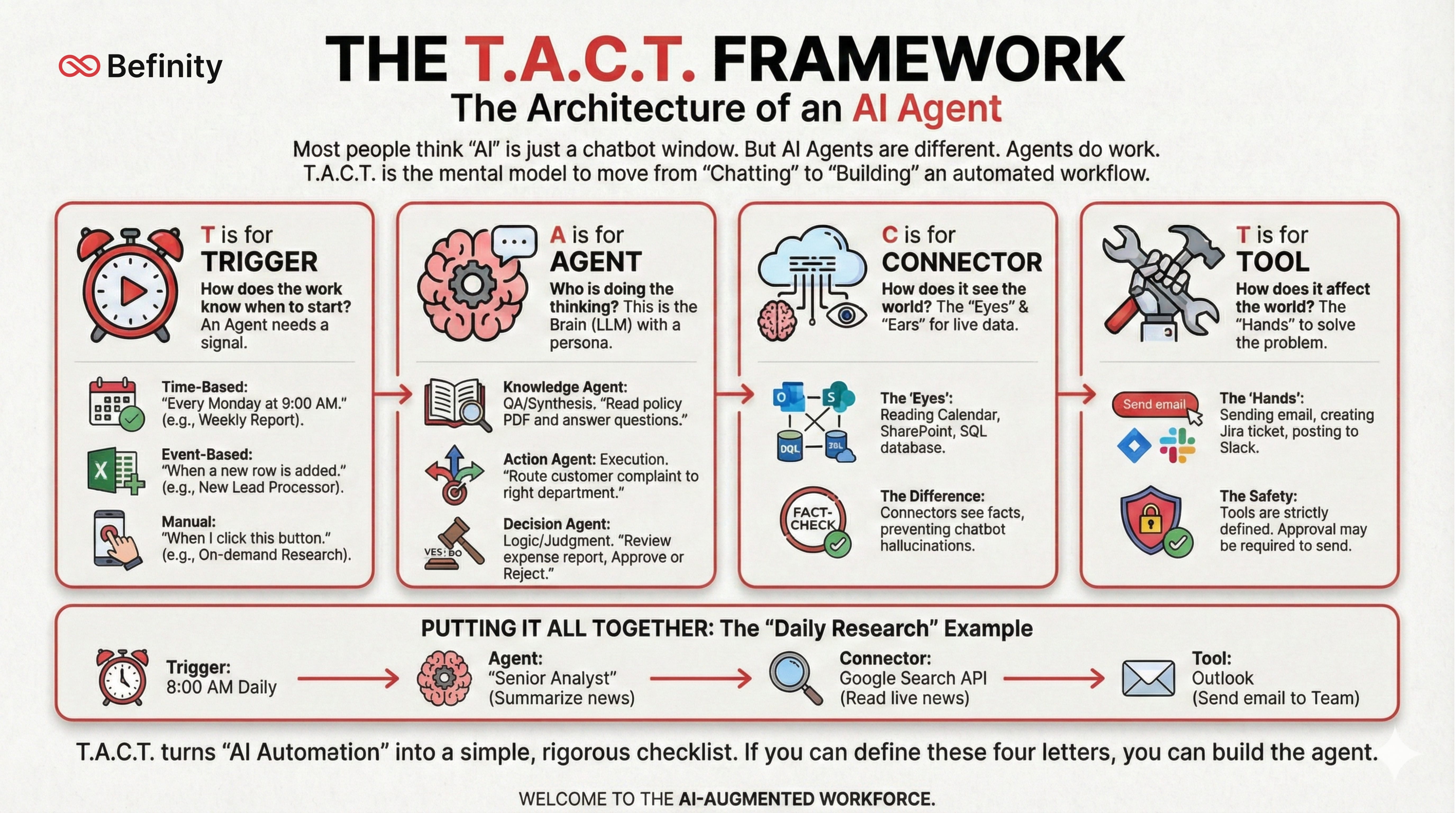
T is for TRIGGER
How does the work know when to start?
An employee knows to start working when their boss walks in, or when an email arrives. An Agent needs a signal.
Time-Based: “Every Monday at 9:00 AM.” (e.g., Weekly Report).
Event-Based: “When a new row is added to Excel.” (e.g., New Lead Processor).
Manual: “When I click this button on my phone.” (e.g., On-demand Research).
A is for AGENT
Who is doing the thinking?
This is the Brain. It’s the Large Language Model (LLM) given a specific persona and set of instructions. We categorize them into three roles:
Knowledge Agent: “You are an internal auditor. Read this policy PDF and answer questions.” (Focus: QA/Synthesis).
Action Agent: “You are a path-finder. Take this customer complaint and route it to the right department.” (Focus: Execution).
Decision Agent: “You are a gatekeeper. Review this expense report against our travel policy. Approve or Reject.” (Focus: Logic/Judgment).
C is for CONNECTOR
How does it see the world?
A brain in a jar is useless. It needs eyes and ears. Connectors allow the agent to read live data from your business systems without you manually copy-pasting it.
The “Eyes”: Reading your Outlook Calendar, accessing a SharePoint folder, or querying a SQL database.
The Difference: Chatbots hallucinate. Agents with Connectors see facts.
T is for TOOL
How does it affect the world?
Once the Agent has thought about the problem, it needs hands to solve it. Tools are the specific actions the agent is allowed to take.
The “Hands”: Sending an email, creating a Jira ticket, updating a CRM record, or posting to Slack.
The Safety: Tools are strictly defined. An agent can draft an email, but you might not give it the tool to send it without approval.
Putting It All Together
The “Daily Research” Example:
Trigger: 8:00 AM Daily.
Agent: “Senior Analyst” (Summarize news).
Connector: Google Search API (Read live news).
Tool: Outlook (Send email to Team).
T.A.C.T. turns the vague concept of “AI Automation” into a simple, rigorous checklist. If you can define these four letters, you can build the agent.