
7 Reasons Your Creative Team Needs the Design Artwork Adaptation Orchestrator (And How to Build It in Copilot Studio)
One campaign visual. Seven formats. Zero manual project management. Here's how agentic AI turns a single creative asset into a fully loaded Jira board in seconds.
One campaign visual. Seven formats. Zero manual project management. Here's how agentic AI turns a single creative asset into a fully loaded Jira board in seconds.
Reason 1: You're Still Playing "Format Telephone"
A designer uploads the hero visual for a new campaign. What happens next?
Someone — usually a marketing coordinator — opens a spreadsheet, lists out all the required formats (Instagram Story, LinkedIn Banner, Website Hero, EDM Header, Print A4, Display Ad 728x90, Mobile Banner), assigns each to a designer, and creates tickets manually.
By the time the Jira board is populated, 45 minutes have passed. And someone inevitably asks: "Wait, did we include the WeChat format?"
The Design Artwork Adaptation Orchestrator eliminates this entire step. The moment a campaign visual is uploaded to SharePoint, the agent reads it, determines the required adaptation formats, and creates the Jira tickets automatically.
Reason 2: Your "Creative Brief" Process Is Actually Just Data Entry
Let's be honest about what's happening when your coordinator creates adaptation tickets:
- Copy the campaign name into the ticket title ✓
- Copy the brand guidelines link ✓
- List the dimensions for each format ✓
- Assign the right designer ✓
- Set the deadline ✓
This is data entry wearing a creative brief costume. None of it requires creative judgment. All of it can be automated.
Reason 3: Chatbots Can't See Your Images
You can't paste a campaign visual into ChatGPT and say "create Jira tickets for all the formats we need." ChatGPT can't:
- See your design file
- Access your Jira instance
- Know your organization's format requirements
- Create tickets in your project management system
An agentic AI workflow can do all four — because it's connected to your actual tools, not isolated in a chat window.
Get immediate access to the full JSON schema for this workflow.
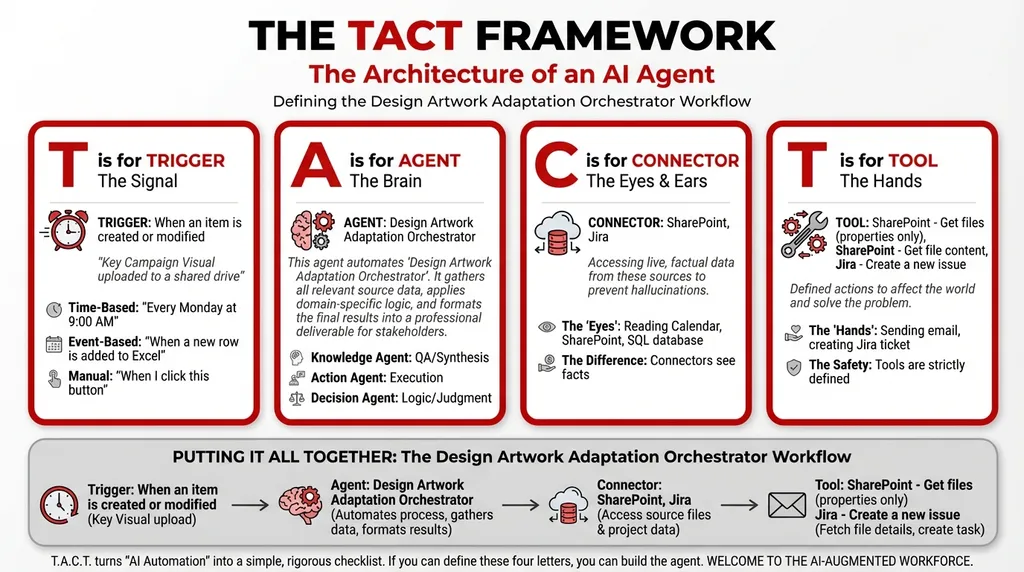
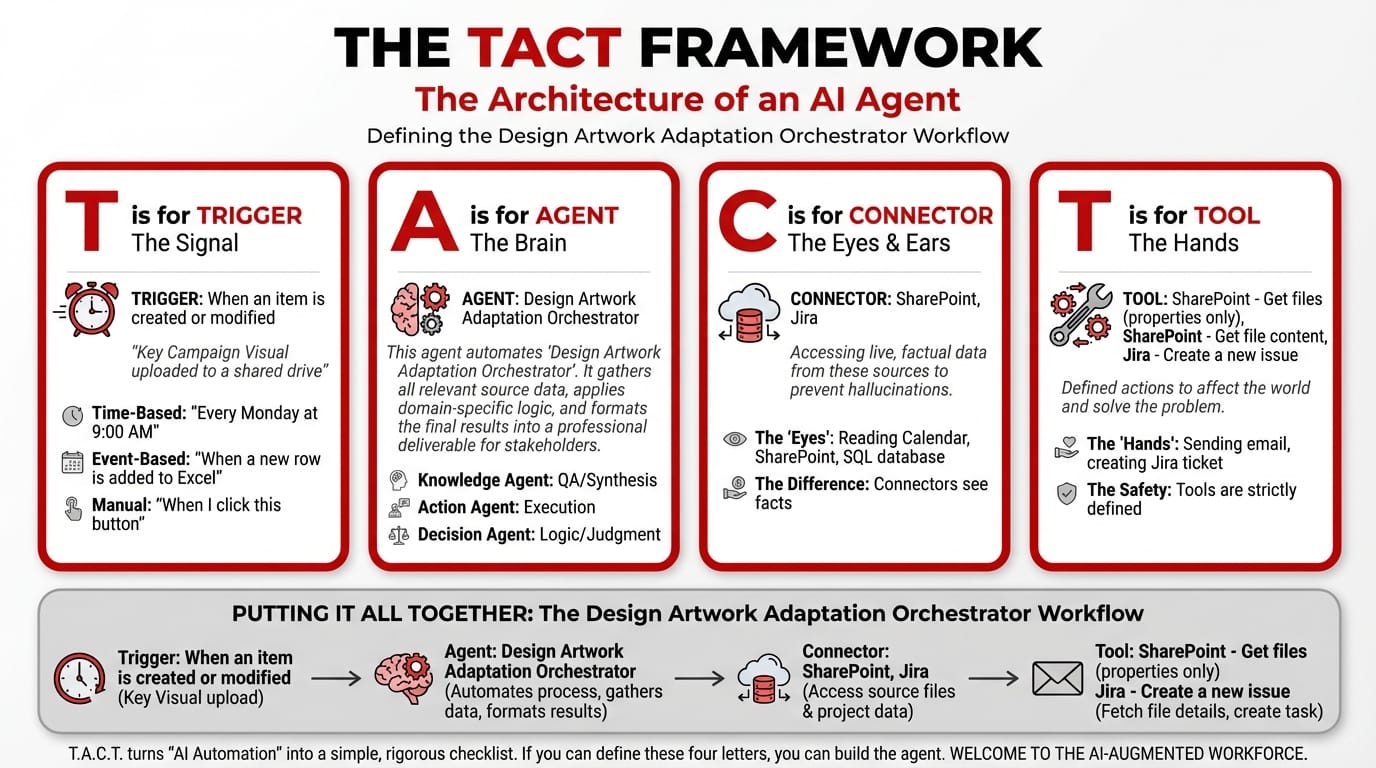
Reason 4: The T.A.C.T. Framework Makes It Work
Here's the architecture behind the automation:
T — Trigger: Event-Based (File Upload to SharePoint)
Trigger: When an item is created or modified
Configuration: Key campaign visual uploaded to a shared drive
The instant a designer uploads the final approved campaign visual, the agent activates. No coordinator intervention. No "please create tickets" email. The upload is the brief.
A — Agent: Design Artwork Adaptation Orchestrator (Orchestrator Type)
The agent runs a three-stage analysis:
- Visual Analyst — Reads the uploaded image for text overlays, layout structure, and aspect ratio
- Adaptation Strategist — Maps the visual against a predefined checklist of required output formats (Instagram, Banner, EDM, etc.)
- Task Manager — Creates individual Jira tickets for each required adaptation, complete with specifications
System Prompt:
You are a Design Artwork Adaptation Orchestrator. Your workflow:
- Collect Input Data: Gather all relevant source data, documents, and information.
- Consolidate & Structure: Organize and standardize the collected data.
- Analyze & Process: Automate project management by instantly translating a single creative asset into an entire Jira board of actionable design tasks.
- Validate Results: Review the processed output for accuracy.
- Distribute Output: Format the final results and share with stakeholders.
C — Connectors: SharePoint + Jira
| Connector | Role |
|---|---|
| SharePoint | Access the uploaded campaign visual and brand guidelines |
| Jira | Create adaptation tickets in the design team's project board |
T — Tools: Read, Analyze, Create
| Tool | Function |
|---|---|
| SharePoint – Get files (properties only) | Lists files in the campaign folder |
| SharePoint – Get file content | Downloads the campaign visual for analysis |
| Jira – Create a new issue | Generates individual tickets with format specs |
Reason 5: Here's What the Jira Board Looks Like After
Within 30 seconds of upload, the design team's Jira board populates:
Project: Q1 Campaign 2026 — Creative Adaptations
Ticket Format Dimensions Assignee Status Notes DES-301 Instagram Story 1080 x 1920 px @sarah To Do Vertical crop — text overlay repositioning required DES-302 LinkedIn Banner 1200 x 627 px @james To Do Landscape — ensure logo visibility at small size DES-303 EDM Header 600 x 200 px @sarah To Do Extreme horizontal crop — simplify layout DES-304 Website Hero 1440 x 600 px @daniel To Do Full width — maintain visual hierarchy DES-305 Display Ad 728 x 90 px @james To Do Leaderboard — text-only variant recommended DES-306 Print A4 210 x 297 mm @daniel To Do CMYK conversion — bleed area required DES-307 WeChat Moment 1080 x 1080 px @sarah To Do Square crop — add QR code placeholder
No missing formats. No forgotten channels. No manual data entry.
Reason 6: It Scales Without Adding Headcount
When you run 3 campaigns a quarter, manual ticket creation is annoying but manageable.
When you run 12 campaigns a quarter across 5 markets, it becomes a full-time job. The Design Artwork Adaptation Orchestrator scales linearly — 12 campaigns means 12 automated Jira board setups, with zero additional hours from your team.
Reason 7: Designers Get to Design
The hidden cost of manual project management isn't the coordinator's time — it's the context-switching imposed on designers. Every ping about "is the LinkedIn version done?" and "what dimensions do we need for WeChat?" pulls them out of creative flow.
When the Jira board is pre-built with specifications, designers start in execution mode. They open the ticket, see the dimensions, see the source file, and start designing. No questions. No back-and-forth.
Close the gap in your operations.
Get immediate access to the full JSON schema for this workflow. By subscribing to the Library, you can copy and paste this architecture directly into Microsoft Copilot Studio, M365 Workflows (Frontier) Agent, or Google Workspace Studio in minutes.
⚠️ The price increases by $100 on the first Thursday of next month.
Every month, we add 4 new agentic workflows to the Library. Because the Library's value constantly grows, the price to access it increases every month. Get access today for $380/year to secure all 16 current schemas—and lock in your rate before the next price hike.