
How Companies Using Agentic AI for Employee Training Save 200+ Hours Per Year on Curriculum Development
The ROI breakdown of deploying an AI agent that converts SOPs into structured training modules — automatically, every time a document is updated.
The ROI breakdown of deploying an AI agent that converts SOPs into structured training modules — automatically, every time a document is updated.
The Numbers That Matter
Let's start with the math.
The average mid-size company maintains 50-100 Standard Operating Procedures (SOPs). Each time an SOP is created or significantly updated, someone — usually in L&D or HR — must:
- Read the new SOP (30-60 minutes)
- Extract the key learning objectives (30 minutes)
- Restructure the content into a training module format (2-3 hours)
- Create assessment questions or quizzes (1 hour)
- Upload the module to the LMS (30 minutes)
Estimated time per SOP conversion: 4.5-6 hours
At 50 SOPs per year with an average of 5 hours each, that's 250 hours annually — roughly 6 weeks of full-time work — spent on a process that is entirely mechanical.
Now consider the hidden cost: training lag. Between the time an SOP is updated and the time the training module catches up, employees are operating on outdated knowledge. In regulated industries, this gap is a compliance risk.
The Internal Curriculum & Training Extractor eliminates both the hours and the lag.
Get immediate access to the full JSON schema for this workflow.
The ROI Calculation
| Metric | Manual Process | With TACT Agent |
|---|---|---|
| Time per SOP conversion | 4.5-6 hours | < 15 minutes (automated) |
| Annual hours (50 SOPs) | 225-300 hours | ~12.5 hours (review only) |
| Hours saved annually | — | 212-287 hours |
| Training lag | 2-4 weeks after SOP update | Same day (event-triggered) |
| Consistency | Varies by trainer | Uniform format every time |
| Assessment quality | Depends on who writes the quiz | Systematically generated from learning objectives |
If your L&D team's loaded cost is $50/hour, this agent saves $10,600-$14,350 per year on a single workflow. For larger organizations with hundreds of SOPs across multiple departments, multiply accordingly.
How the Workflow Operates
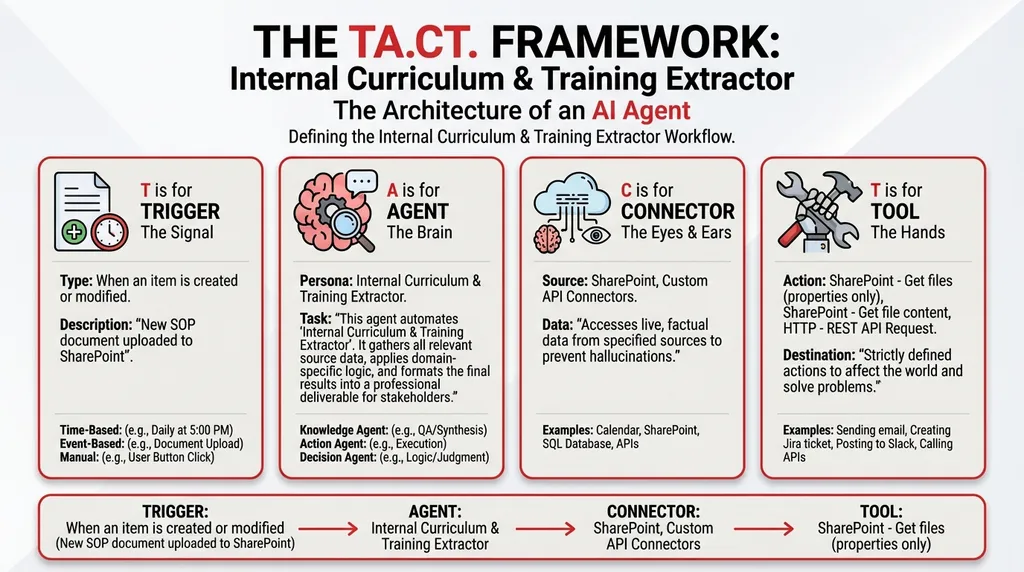
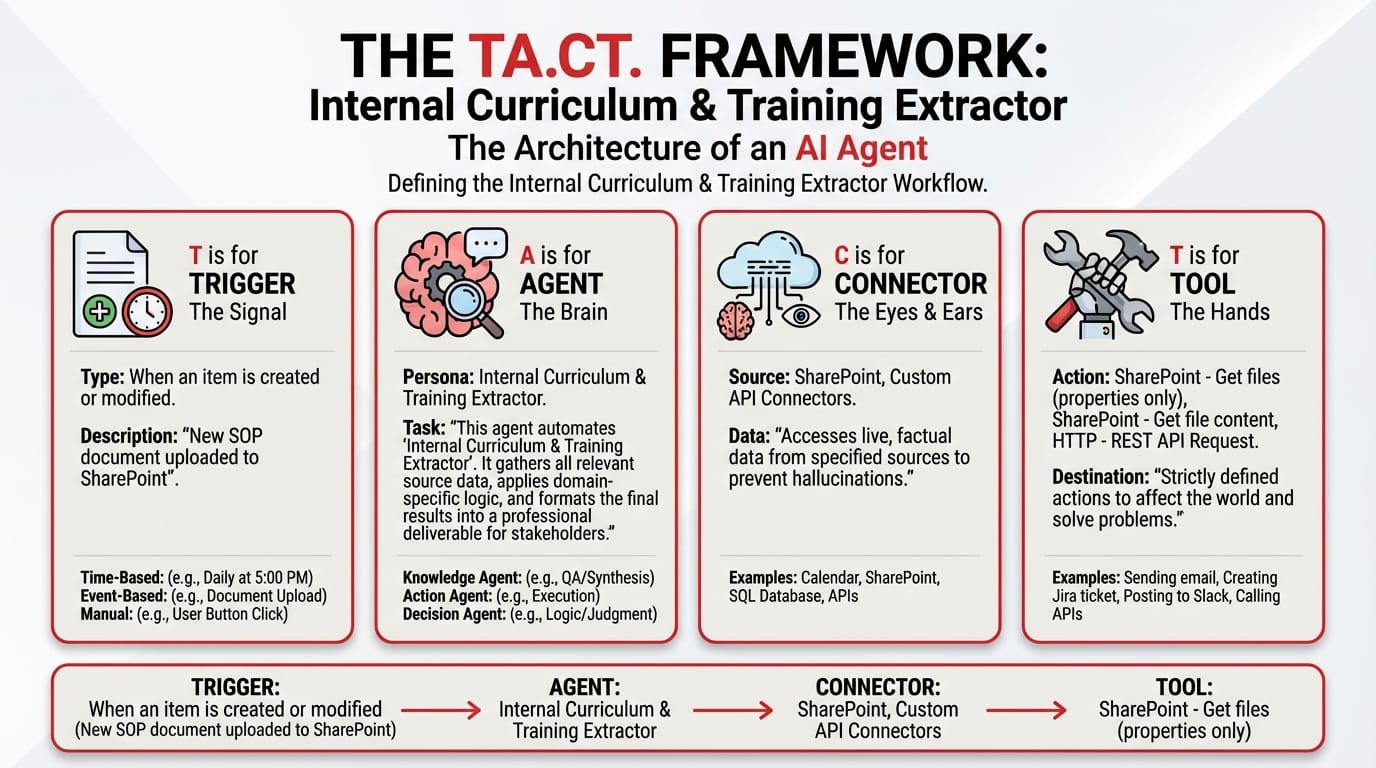
T — Trigger: Event-Based (New SOP Uploaded to SharePoint)
Trigger: When an item is created or modified
Configuration: New SOP document uploaded to SharePoint
The moment a new or updated SOP hits your document library, the agent activates. No L&D team member needs to "check for updates." No one needs to remember that a new procedure was published last Tuesday.
Key ROI driver: This trigger closes the training lag to zero. The training module is generated the same day the SOP is published.
A — Agent: Internal Curriculum & Training Extractor (Orchestrator Type)
The agent runs a three-stage extraction pipeline:
- Document Parser — Reads the complex PDF or Word document, handling tables, bullet lists, sections, and appendices
- Concept Extractor — Identifies core learning objectives, key procedures, and required competencies from the SOP content
- Curriculum Generator — Creates a structured training module with sections, summaries, and assessment questions
System Prompt:
You are an Internal Curriculum & Training Extractor. Your workflow:
- Collect Input Data: Gather all relevant source data, documents, and information.
- Consolidate & Structure: Organize and standardize the collected data.
- Analyze & Process: Turn passive company documentation into active learning curriculums automatically, reading directly from the source of truth to train new employees.
- Validate Results: Review the processed output for accuracy.
- Distribute Output: Format the final results and share with stakeholders.
C — Connectors: SharePoint + Internal LMS API
| Connector | Role |
|---|---|
| SharePoint | Access SOPs, reference documents, and existing training materials |
| Custom API Connectors | Interface with internal LMS to publish completed training modules |
T — Tools
| Tool | Function |
|---|---|
| SharePoint – Get files (properties only) | Lists available SOP documents |
| SharePoint – Get file content | Downloads SOPs for parsing and extraction |
| HTTP – REST API Request | Publishes completed modules to the LMS |
Sample Output: The Auto-Generated Training Module
Training Module: Vendor Onboarding Procedure v3.1
Auto-generated from SOP: VendorOnboarding_v3.1.docx | Date: 15 Nov 2025
Learning Objectives: 1. Explain the 5-step vendor qualification process 2. Identify required compliance documents for new vendors 3. Demonstrate correct use of the Vendor Assessment Scorecard
Module Sections:
Section Topic Duration 1 Introduction: Why Vendor Onboarding Matters 5 min 2 Step-by-Step: The Qualification Process 15 min 3 Document Checklist and Compliance Requirements 10 min 4 Using the Vendor Assessment Scorecard 10 min 5 Common Errors and How to Avoid Them 5 min Assessment Quiz (5 Questions):
- What is the first step in the vendor qualification process?
- Which compliance document is required for all vendors operating in regulated industries?
- True/False: A vendor can be onboarded without a completed Assessment Scorecard.
- What is the minimum qualifying score on the Vendor Assessment Scorecard?
- Describe the escalation procedure for vendors that fail the initial compliance check.
Status: ✅ Published to LMS | Course ID: VOP-2025-031
The ROI Beyond Hours
The financial case is clear, but the strategic value extends further:
- Institutional knowledge capture: When an experienced employee writes an SOP, the curriculum extractor immediately converts their expertise into a reusable training asset. When that employee leaves, the knowledge persists.
- Onboarding acceleration: New hires receive training modules generated directly from the latest SOPs — not from a 2-year-old slide deck that nobody updated.
- Audit readiness: Regulatory auditors want to see that training materials match current procedures. When the training module is auto-generated from the SOP, alignment is structural, not aspirational.
📚 Continue building your enterprise knowledge automation stack: - Is Your Weekly Management Report Broken? The Omni-Format Consolidator — unify disparate data into one narrative - Meet Priya: How AI Answers Her Leave Questions in the Right Jurisdiction, Every Time — another HR automation - Stop Asking AI the Wrong Questions: The Copilot Prompt Optimizer — start here if you're new to TACT
Turn SOPs into training assets — automatically.
Close the gap in your operations.
Get immediate access to the full JSON schema for this workflow. By subscribing to the Library, you can copy and paste this architecture directly into Microsoft Copilot Studio, M365 Workflows (Frontier) Agent, or Google Workspace Studio in minutes.
⚠️ The price increases by $100 on the first Thursday of next month.
Every month, we add 4 new agentic workflows to the Library. Because the Library's value constantly grows, the price to access it increases every month. Get access today for $380/year to secure all 16 current schemas—and lock in your rate before the next price hike.